


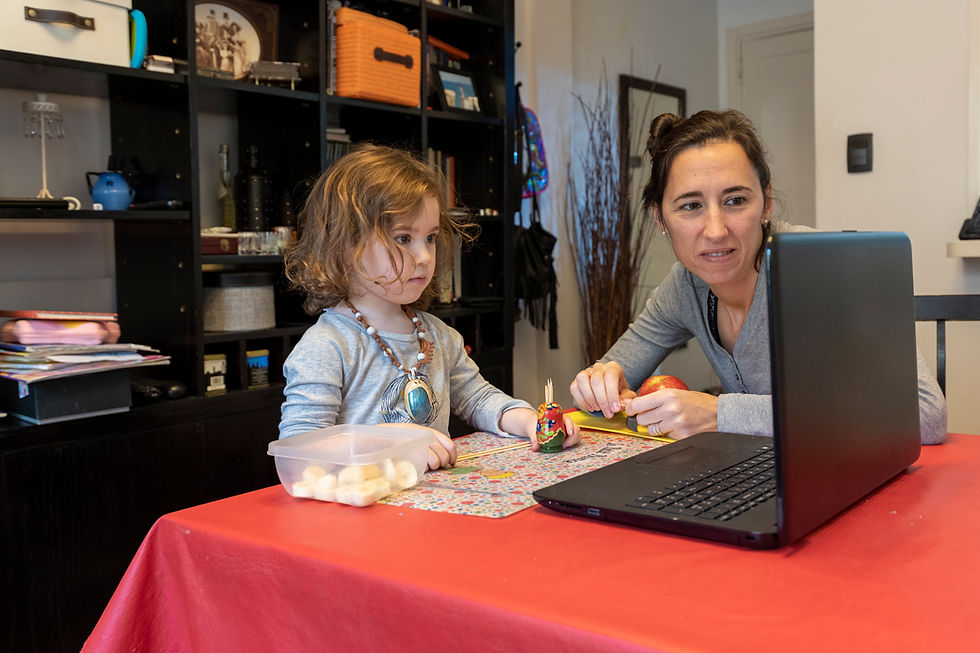
Smart screen time is about using technology with intention. When adults watch, listen, play, and talk with children during screen time, apps and videos can become opportunities for language, curiosity, and connection instead of passive entertainment.
Through smart screen time, children can:
-
Learn new words and ideas
-
Practice listening and comprehension
-
Connect digital content to real-life experiences
-
Build curiosity through questions and discussion
-
Strengthen memory, prediction, and storytelling skills
-
Develop healthier habits around technology use
Screen time works best when adults stay involved. Asking questions, talking about what happened, singing along, repeating new words, or connecting a video to something your child has seen in real life can help make technology more meaningful and supportive.
NOTE: The American Academy of Pediatrics recommends avoiding most screen media for children under 18 months except video chatting, choosing high-quality media for toddlers when introduced, and co-viewing with children ages 2–5 to help them understand and apply what they see. NAEYC and the Fred Rogers Center also frame technology as a tool that should be used intentionally, developmentally appropriately, and in ways that strengthen relationships rather than replace hands-on learning. ZERO TO THREE similarly emphasizes that babies and toddlers learn best through face-to-face interaction, with screen use kept minimal, purposeful, and connected to real-world engagement.
Ages Birth - 24 Months
Use video chat to help your child connect with a family member or trusted friend. Sit with your child, name the person on the screen, and help the conversation feel warm and interactive. Encourage waving, smiling, pointing, clapping, or simple back-and-forth sounds.
Video Chat With a Loved One

Open a few family photos on a phone or tablet and talk about the people, places, and feelings you see. You might say, “There’s Grandma,” “You are smiling,” or “We were at the park.” This turns a screen into a simple conversation tool instead of passive viewing.
Look at Family Photos Together

Choose one short, familiar song and sing along with your child. Add clapping, bouncing, waving, or hand motions so your child can participate with their body. The goal is not just to watch the song, but to make it a shared language and movement experience.
Sing Along With a Short Song Video

Use a digital book the same way you would use a printed book. Sit close, point to pictures, name what you see, and pause so your child can look, gesture, or respond. Keep it short and interactive so the screen supports connection instead of replacing it.
Read a Digital Book Together

After seeing something on a screen, find a real object that matches it. If the video shows a ball, hold a ball; if the picture shows a dog, point to a dog in a book or outside. This helps babies and toddlers connect screen images to the real world around them.
Connect the Screen to a Real Object

If your child watches a short video with you, pause occasionally and name what is happening. You might say, “The baby is laughing,” “The car is moving,” or “The dog is barking.” Simple language helps your child connect words, actions, and images.
Pause and Name What You See

Ages 2-4 Years
Sit with your child during a short show, video, or app experience. Ask simple questions like “What do you see?” “Where is the dog?” or “What happened?” Talking during screen time helps children build vocabulary, attention, and comprehension.
Watch Together and Ask Simple Questions

Pause a video or digital story before something happens and ask your child what they think will come next. They might answer with words, gestures, sounds, or pointing. Making predictions helps children practice thinking ahead and paying attention to story meaning.
Pause and Predict

After watching a short video or digital story, act out part of it together. Use stuffed animals, blocks, puppets, or your own movements to retell what happened. Acting it out helps children connect screen content to play, memory, language, and storytelling.
Act It Out After Watching

Choose one high-quality video instead of letting videos play continuously. Watch it more than once and focus on something different each time, such as naming characters, finding colors, copying movements, or talking about feelings. Rewatching with purpose helps children notice details and learn from repetition.
Choose One Quality Video and Rewatch With Purpose

After watching a short video about animals, trucks, weather, music, or another favorite topic, read a related book together. Talk about what was the same and what was different. This helps children connect digital learning to books, conversation, and real reading experiences.
Match a Video to a Book

Before screen time begins, tell your child what will happen when it ends. Use a timer, a short song, or simple language like, “One more minute, then we read a book.” Predictable endings help children build healthy screen habits and make transitions feel less stressful.
Practice a Calm Screen-Time Ending

Ages 5-8 Years
Choose a book and a short video about the same topic. After reading and watching, ask your child what was the same, what was different, and which one helped them learn more. Comparing formats builds comprehension, critical thinking, and the ability to talk about information.
Read, Watch, and Compare

When appropriate, turn on captions while watching a child-friendly video. Point out familiar words, repeated phrases, or interesting vocabulary as they appear. Seeing and hearing words together can support word recognition, vocabulary, and print awareness.
Turn Captions On

While watching a video or using an educational app, pause and ask your child to explain the main idea. You might ask, “What is this mostly about?” or “What did you learn so far?” This helps children practice comprehension instead of simply moving from one screen moment to the next.
Pause for Big Ideas

After your child watches something educational, invite them to do a related real-world activity. If they watch a video about plants, look at leaves outside; if they watch a story about kindness, talk about one kind thing they can do. This helps children apply what they learn beyond the screen.
Create a Screen-to-Real-Life Challenge

After using an app, ask your child to tell you what they liked, what they learned, and what they would change. Encourage them to explain their opinion with reasons. This builds expressive language, evaluation skills, and thoughtful media habits.
Review an App Like a Reader

After watching a short educational video, ask your child to teach you three things they learned. They can explain it aloud, draw it, act it out, or show you using objects. Teaching the information back helps children organize ideas, remember details, and build confidence as learners.
Make a Mini Lesson From a Video

Smart Screen Time with Diverse Learners
Watch Together When Possible
Screen time is most helpful when adults stay involved. Sit with your child when you can, talk about what is happening, and connect the video or app to real life. This turns screen time into a shared language experience instead of passive watching.
Ask Simple Questions During Videos
Pause to ask questions like, “What happened?” “How does she feel?” “What do you think will happen next?” or “Where did the dog go?” Children can answer with words, signs, gestures, pointing, AAC, or facial expressions. These questions build comprehension and help children practice thinking about stories.
Choose Accessible Media
Look for videos, apps, and digital books that match your child’s needs. This may include captions, ASL interpretation, audio description, simple visuals, reduced distractions, adjustable speed, clear narration, or compatibility with assistive technology. Accessible media helps more children participate meaningfully.
Use ASL Stories and Signed Songs
For children who are deaf, hard of hearing, or learning sign language, signed stories and songs can support vocabulary, comprehension, and connection to books. Watch together and pause to practice signs or talk about the story. These videos can also help hearing family members learn how to make reading more accessible.
Connect Screens to Real Life
After watching a video or using an app, connect it to something your child can do, touch, read, or talk about. If a video shows animals, look for animals in a book or on a walk. If an app teaches letters, look for those letters on signs, labels, or your child’s name.

Keep Screen Time Predictable
Some children do better when screen time has a clear beginning, middle, and end. Use a timer, visual schedule, first-then language, or a transition song to help your child know what to expect. Predictability can support children with autism, ADHD, anxiety, sensory needs, or difficulty with transitions.
Use Technology for Access, Not Just Entertainment
Technology can help children access books, language, communication, and stories in ways that may not be available otherwise. Audiobooks, braille displays, AAC tools, captions, ASL videos, and accessible library services can all support literacy development. For some children, technology is not extra; it is part of how they access reading.
Rewatch With Purpose
If your child loves the same video, use that repetition intentionally. Ask them to notice something new, act out part of the story, say or sign a favorite word, or tell what happens next. Rewatching familiar content can build memory, comprehension, vocabulary, and confidence.